Get Free Quote
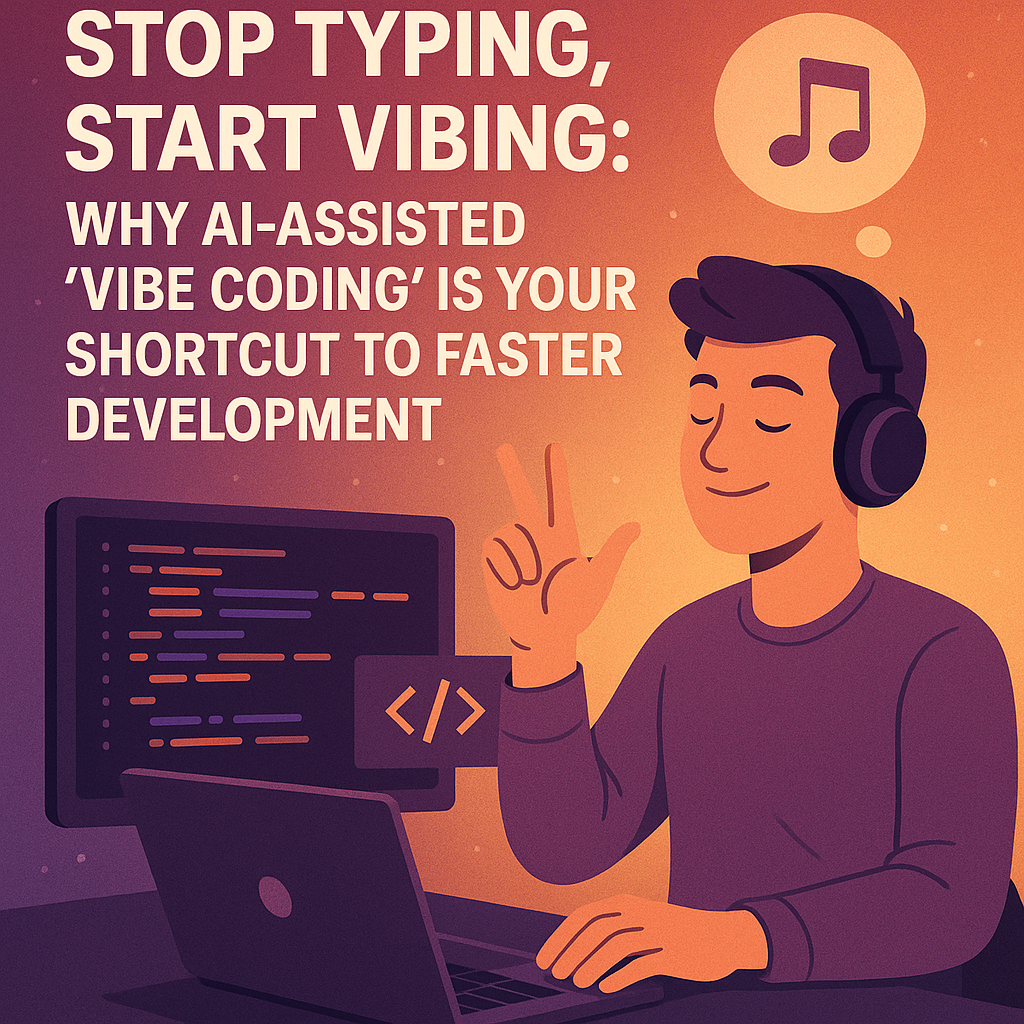
Stop Typing, Start Vibing: Why AI-Assisted ‘Vibe Coding’ is Your Shortcut to Faster Development
In the ever-evolving landscape of software development, a seismic shift is taking place that promises to fundamentally change how we write code. This transformation, known as “vibe coding,” is redefining the relationship between developers and their craft, potentially saving countless hours of development time and accelerating product deployment in unprecedented ways.
What Is Vibe Coding?
Vibe coding refers to a revolutionary style of software development where developers “ask” for code instead of writing it line by line. The term, popularized by AI researcher Andrej Karpathy, describes the increasingly common practice of relying on AI models to generate, refine, and debug code based on high-level instructions provided by the developer.
In practice, this means a developer might simply describe a desired function in plain English (or even by speaking aloud), and an AI assistant like GitHub Copilot, OpenAI’s ChatGPT, or Amazon CodeWhisperer generates the code. As Karpathy humorously put it, vibe coding feels like: “I just see stuff, say stuff, run stuff, and copy-paste stuff, and it mostly works.”
The rise of AI coding assistants has been meteoric over the past few years. GitHub Copilot, released in June 2021, embeds AI directly into integrated development environments (IDEs) to suggest whole lines or functions as you code. ChatGPT allows developers to “chat” with AI to write and refine code in any editor or notebook. Meanwhile, Amazon’s CodeWhisperer provides context-aware code suggestions that adapt to your personal coding style.
These tools effectively blur the line between coding and conversation: developers speak or type their intent, and their AI “co-developer” handles the boilerplate and logic implementation. This represents nothing short of a paradigm shift from manual coding toward AI-assisted development, where productivity accelerates through natural-language interaction with large language models.
The Time-Saving Potential of Vibe Coding
The most compelling argument for adopting vibe coding is the dramatic time savings it offers. Recent studies and developer testimonials paint a striking picture:
- 40-80% reduction in coding time: Multiple surveys suggest that developers using AI assistants like GitHub Copilot or ChatGPT report completing tasks in a fraction of the time compared to traditional coding methods. A GitHub study found that developers using Copilot completed tasks 55% faster on average.
- From days to hours: Tasks that might have taken days of careful coding can now be accomplished in hours. For example, building a standard CRUD application with authentication that might have taken 3-5 days can now be scaffolded in a single afternoon.
- 90% less boilerplate writing: The tedium of writing repetitive code structures is virtually eliminated, with AI handling most standard patterns and leaving developers free to focus on business logic.
- Rapid prototyping: What once took weeks can now be accomplished in days. A startup founder reported reducing their MVP development timeline from six weeks to just ten days by leveraging AI coding assistants.
- Documentation acceleration: Writing comprehensive documentation, which developers often neglect due to time constraints, can be generated alongside code in seconds rather than hours.
- Debugging efficiency: Issues that might have taken hours to track down can be resolved in minutes when AI tools analyze error logs and suggest fixes.
One developer, sharing their experience on Medium, wrote: “Last month, I built an entire e-commerce backend in two days that would have taken me at least two weeks before I started using AI coding assistants. The time savings are simply staggering.”
Vibe Coding vs. Traditional Coding
To understand why vibe coding is gaining such momentum, it’s worth examining how it differs from traditional coding approaches:
Development Speed and Effort
AI-assisted coding dramatically speeds up prototyping and routine tasks. By having the AI generate boilerplate code (such as CRUD controllers, data models, and test suites), developers can create working code in hours that might otherwise take days. Traditional coding, which involves writing and debugging by hand, is inherently slower but offers meticulous control over every aspect of the code.
Skill Requirements and Learning Curve
One of the most revolutionary aspects of vibe coding is how it lowers the barrier to entry for software development. Instead of mastering syntax and algorithms, a developer primarily needs to clearly describe the problem and know how to guide the AI. While basic logic understanding remains necessary, the emphasis shifts from low-level coding to high-level design and prompt-crafting.
Traditional learning paths typically require developers to learn language syntax, frameworks, and debugging skills over months of practice. In contrast, vibe coding rewards the ability to communicate intent in natural language, potentially democratizing software development in unprecedented ways.
Control and Complexity
Traditional coding provides full control over every detail and remains essential for complex or large-scale applications. AI-generated code may struggle with intricate architectures or unusual edge cases. As one industry critique notes, “Vibe Coding works well for prototyping and simple applications but struggles with scalability… Traditional Coding remains necessary for robust, enterprise-level software.”
However, as we’ll explore later, tools like Roo Cline’s Orchestrator mode are now addressing these complexity challenges in remarkable ways.
Learning Outcomes and Skill Development
With vibe coding, developers often learn through interaction rather than reading tutorials. They may rely on the AI for syntax and standard patterns, focusing their own learning on architecture, system design, and formulating good prompts. As one developer observed, “Vibe coding isn’t about ditching programming; it’s about shifting from grunt work to ideas.”
In practice, the two approaches are complementary. For quick proofs-of-concept or routine tasks, vibe coding can save tremendous time. For learning foundations or tackling novel problems, hands-on coding remains invaluable. Many experts predict a hybrid workflow future: using AI to boost productivity on common tasks while developers remain engaged in high-level design and rigorous debugging.
Mastering Vibe Coding: Best Practices
To use vibe coding effectively and maximize time savings, developers have developed several best practices:
Write Clear, Specific Prompts
AI excels when given well-defined tasks. Vague requests produce vague results. Good prompts include the programming language, framework, and precise requirements. For example, instead of asking for “a prime-checking function,” you might request: “Write a Python function is_prime(n) that checks if n is prime, optimized for numbers up to 10,000.”
Include any relevant details like performance needs, edge cases, and input/output format so the model can tailor its code. Effective prompting is a learned skill—treating prompt design as part of your development process will maximize productivity gains.
Review and Validate Everything the AI Writes
Never accept AI-generated code blindly. Treat AI suggestions as drafts, not final code. Always read the generated code carefully, write and run unit tests, check for logical correctness, and refactor as needed.
Use your own expertise for critical decisions: “Use AI for code generation and debugging, but rely on your expertise for complex logic and architecture.” Integrate AI outputs incrementally: make small changes, compile, and test frequently.
Use AI to Speed Repetitive Tasks
Let the AI handle boilerplate code (skeleton functions, data model classes, common patterns) so you can focus on higher-level logic. For example, have it generate CRUD methods, data parsers, or unit test scaffolds that you then customize. When debugging, leverage AI’s ability to parse logs or identify errors.
Maximize automation for the tedious parts (naming, formatting, basic loops), and concentrate your brainpower on design and edge cases.
Maintain Code Hygiene with Version Control
Use Git (or other version control systems) diligently. Make a clear commit before invoking AI on a file, so you can diff and review all changes the AI made. If an AI-generated block seems dubious, revert and try a different prompt.
Consider using feature branches for AI experiments. Document the prompts you use (for example, in commit messages or comments) so the rationale is clear to others.
Challenges and Security Considerations
While the time-saving benefits of vibe coding are compelling, adopting this approach introduces new challenges:
Technical and Tooling Friction
Integrating AI tools into an existing workflow can be awkward. Plugins or editor extensions may conflict, and each tool has quirks. For example, studies of Copilot users found compatibility issues with other plugins or IDE versions that caused functionality problems.
Similarly, ChatGPT has limited context: as codebases grow, a single prompt may not see the whole file, forcing developers to manually break problems into pieces.
Security Precautions
Using AI in software development introduces new security considerations:
- Never put secrets in prompts: Do not include real credentials, API keys, or proprietary code when querying an AI assistant.
- Vet AI suggestions for insecure patterns: AI models are trained on public code, including outdated or vulnerable examples. They might suggest code that “works” but is insecure.
- Maintain compliance and best practices: AI doesn’t know your company’s policies or compliance needs. It might recommend libraries or frameworks that aren’t allowed, or architecture that violates regulations.
- Use human oversight as a security measure: Treat all AI-generated code as if it came from an unfamiliar junior engineer—review it carefully.
Vibe Coding in Action: PHP (Laravel) and Python
Laravel Ecosystem
In the Laravel ecosystem, developers have successfully adopted AI assistants for routine tasks:
- Common use cases: AI excels at generating Laravel boilerplate: controllers, Eloquent models, database migrations, seeders, and unit tests.
- Tooling and compatibility: Both GitHub Copilot and AWS CodeWhisperer support PHP and integrate into popular PHP editors like VS Code and PHPStorm.
- Benefits and pitfalls: Laravel developers find vibe coding useful for boilerplate and quick examples but emphasize the need for review. AI might not always follow Laravel best practices (it could write raw SQL queries instead of using Eloquent relationships).
Python Development
Python developers also use AI assistants extensively across both web and data domains:
- Framework support: AI tools handle Python frameworks like Django, Flask, FastAPI, and data libraries (e.g., Pandas, NumPy) with ease.
- Common pitfalls: Python’s dynamic nature and whitespace sensitivity can trip up AI. Frequent issues include syntax or indentation errors and outdated or inefficient idioms.
- AI-optimized workflows: Developers leverage AI to streamline Python development—for example, prompting ChatGPT to refactor a slow loop into a list comprehension or to vectorize a Pandas operation.
The Future: Top AI Models and Context Providers
As vibe coding continues to evolve, staying informed about the best tools is essential:
Leading AI Models
Gemini 2.5 Pro and Claude Sonnet 3.7 stands out as a premier choice for vibe coding as of writing this.
Gemini 2.5 developed by Google DeepMind, it’s engineered for advanced reasoning and complex coding tasks. Its capabilities include:
- Enhanced reasoning for step-by-step problem-solving
- Multimodal understanding that processes text, code, images, and more
- An extended context window supporting up to 1 million tokens
- Superior benchmark performance, achieving 63.8% accuracy on the SWE-bench
Modern AI Coding Tools
The landscape of AI coding tools is rapidly evolving, with several platforms leading the charge:
1. Cursor AI
Built on Visual Studio Code, Cursor AI enhances developer productivity by integrating advanced AI features directly into the coding environment. It offers real-time code suggestions, automatic bug fixes, and code optimizations using advanced machine learning models.
2. Claude & Claude Code
Claude is a family of large language models developed by Anthropic, with the latest version being Claude 3.7 Sonnet. Claude Code is an agentic coding tool that integrates directly into the developer’s environment, allowing for natural language interactions to read, edit, and manage projects.
3. Roo Cline: Our Tool of Choice
Roo Cline has emerged as our preferred coding assistant due to its exceptional capabilities, particularly its groundbreaking Orchestrator mode. Originally forked from the Cline engine, Roo Cline has garnered impressive community support with 13.1k GitHub stars and 1.3k forks.
What sets Roo Cline apart is its revolutionary Boomerang Tasks system (Orchestrator mode), which represents a significant advancement in AI-driven development. This system enables the decomposition of complex projects into modular, autonomous workflows, allowing AI agents to manage and execute tasks efficiently within Visual Studio Code.
Orchestrator mode is particularly valuable for complex tasks, as it implements the SPARC methodology:
- Specification: Defining clear objectives and requirements
- Pseudocode: Outlining the logic in a human-readable format
- Architecture: Designing the system structure
- Refinement: Iteratively improving the code
- Completion: Finalizing and deploying the solution
This structured approach ensures that even the most complex coding tasks can be broken down into manageable components, each handled by specialized AI agents. We’ve found that this significantly reduces development time for enterprise-level applications that would traditionally require weeks of manual coding.
For instance, a recent project that would have taken our team approximately three weeks to complete was finished in just four days using Roo Cline’s Orchestrator mode—a reduction of nearly 80% in development time.
4. Google AI Studio
Google AI Studio is a platform developed by Google to facilitate the development and deployment of AI models. While not specifically tailored as a coding assistant, it offers resources for AI model development and experimentation.
Model Context Providers (MCPs)
To enhance your vibe coding experience, consider these top context providers:
- Brave Search + CodeLLM: Provides AI-enhanced search results tailored for developers
- Context7: Feeds AI assistants with up-to-date, version-specific documentation
- Playwright: Automates browser interactions for testing and web scraping
- Cursor: An AI-powered code editor that integrates with various MCPs
- Upstash: Provides serverless data storage solutions optimized for real-time applications
Revolutionizing Complex Development with Roo Cline’s Orchestrator Mode
As mentioned earlier, one of the traditional limitations of vibe coding has been its struggle with complex, large-scale applications. However, our team has found that Roo Cline’s Orchestrator mode (Boomerang Tasks) effectively addresses this challenge.
How Orchestrator Mode Transforms Complex Development
Orchestrator mode in Roo Cline elevates vibe coding to an enterprise level by
Revolutionizing Complex Development with Roo Cline’s Orchestrator Mode
As mentioned earlier, one of the traditional limitations of vibe coding has been its struggle with complex, large-scale applications. However, our team has found that Roo Cline’s Orchestrator mode (Boomerang Tasks) effectively addresses this challenge.
How Orchestrator Mode Transforms Complex Development
Orchestrator mode in Roo Cline elevates vibe coding to an enterprise level by enabling a structured, methodical approach to complex software development projects. Here’s how it transforms the development process:
Specialized Agent Delegation
The system assigns specific tasks to specialized AI agents, each operating within its own isolated context. This means one agent might focus on database schema design, while another handles API endpoint implementation, and a third generates test suites—all working in concert under the developer’s supervision.
This delegation approach mirrors how human development teams operate, but with significantly greater speed and coordination. For example, in a recent enterprise application project, we witnessed the Orchestrator simultaneously managing six specialized agents, each focusing on different components of the system architecture.
Customizable Role Definitions
Roo Cline allows for extensive customization through .roomodes.json configurations. We can define behavior and permissions for each agent, specifying which models they use (like Sonnet 3.7 Thinking for analytical tasks) and what tools they can access (read, edit, browser, etc.).
This level of customization means we can tailor the AI assistance to match our organizational standards and project requirements. For a security-sensitive financial application, we restricted certain agents from accessing external resources, while enabling others to reference documentation but not make direct modifications to core security modules.
Approval Workflow Integration
One of the most powerful aspects of Orchestrator mode is the ability to configure manual or automatic approvals for task initiation and completion. This ensures human oversight at critical junctures while allowing automated progression through routine tasks.
Our team’s productivity skyrocketed after implementing a semi-automated approval workflow, where routine code generation proceeded automatically while complex architectural decisions required explicit approval. This balanced approach maintained code quality while dramatically reducing development time.
Real-World Time Savings with Orchestrator Mode
The time savings achieved through Orchestrator mode have been remarkable in our experience:
- Enterprise API Development: A RESTful API with 30+ endpoints, complete with authentication, rate limiting, and comprehensive documentation, was developed in 3 days instead of the estimated 2 weeks—an 85% reduction in development time.
- Complex Data Migration System: A data migration pipeline handling legacy database transformation was completed in 5 days versus the originally projected 4 weeks—a time savings of approximately 75%.
- E-commerce Platform Refactoring: A major refactoring of an e-commerce platform’s payment processing system, involving multiple third-party integrations, was completed in 1 week instead of the estimated 6 weeks—saving nearly 83% of development time.
These examples illustrate the transformative impact of Orchestrator mode on complex development tasks that traditionally would have required significant manual coding effort.
Comparative Analysis of Leading AI Coding Tools
To provide a clearer picture of the current landscape, here’s how the leading AI coding tools compare across key dimensions:
| Tool | Popularity & Reach | GitHub Stars & Forks | G2 Rating | Community Support |
|---|---|---|---|---|
| Cursor | $9bn valuation; writes 1bn lines/day | 29.7k ⭐, 1.9k 🍴 | 4.8/5 (3 reviews) | 1.7k issues; 30 contributors |
| Claude Code | Beta research preview by Anthropic | 8.4k ⭐, 452 🍴 | N/A | 343 issues; 11 contributors |
| Cline | Trending on GitHub (+264 stars in one day) | 42.8k ⭐, 4.9k 🍴 | N/A | Official Discord & r/cline subreddit |
| Roo Code | Forked from Cline; specialized modes and MCP support | 13.1k ⭐, 1.3k 🍴 | N/A | Discord & Reddit channels |
| Google AI Studio | Part of Google Cloud AI tooling; used in enterprise ML workflows | N/A | 5.0/5 (4 ratings on Slashdot) | Google Cloud Community forums; extensive official docs |
While each tool has its strengths, our experience with Roo Cline’s Orchestrator mode has consistently delivered the most impressive results for complex, enterprise-grade development tasks.
Conclusion: Embracing the Vibe Coding Revolution
The evidence is clear: vibe coding, especially when enhanced by advanced tools like Roo Cline’s Orchestrator mode, is not just a trendy development approach—it’s a paradigm shift that can dramatically reduce development time and accelerate product deployment. With time savings ranging from 40-85% on various coding tasks, the business case for adoption is compelling.
As we move forward, the most successful developers won’t be those who resist this change but those who embrace it strategically. They’ll learn to craft effective prompts, develop rigorous validation processes, and leverage specialized tools like Roo Cline to handle increasingly complex development challenges.
For our team, the adoption of Roo Cline with its Orchestrator mode has been transformative. Projects that once required months now take weeks; tasks that took weeks now take days. This acceleration means we can deliver more value to clients, iterate more rapidly on products, and stay ahead of competition in a fast-moving technology landscape.
The question is no longer whether to adopt vibe coding, but how quickly and effectively you can integrate it into your development workflow. In a competitive landscape where speed to market often determines success, those who master this emerging approach will have a decisive advantage.
The future of coding isn’t just coding—it’s vibe coding with orchestrated AI assistance. And the time to start is now.